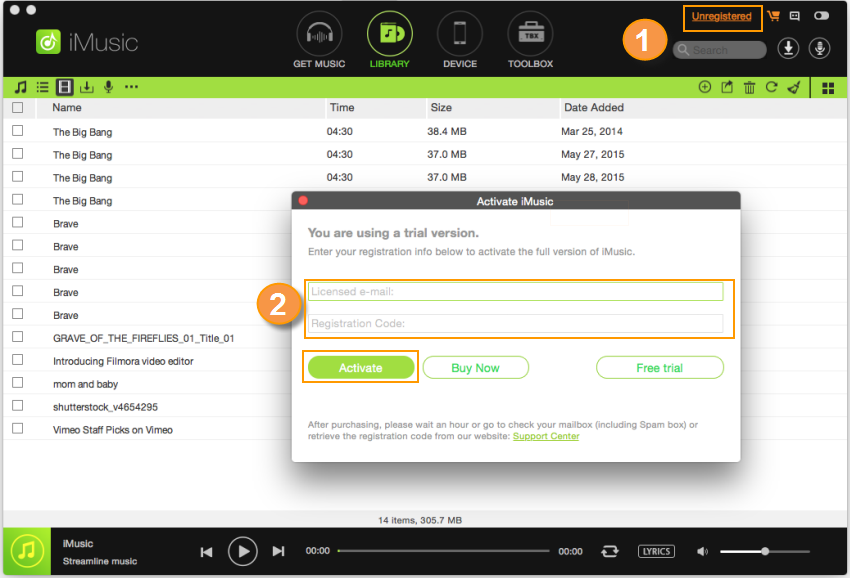
Step 1. To get the registration code of iMusic, you must purchase the software first.
Step 2. Launch iMusic and click the key icon on the top right of the software. After then, you can see the pop-up for registration. Copy the registration email address and code from your email and paste them in the corresponding area. Click “OK” to finish the registratio Learn More from Detailed Guide>>
02
Discover Music in iMusic
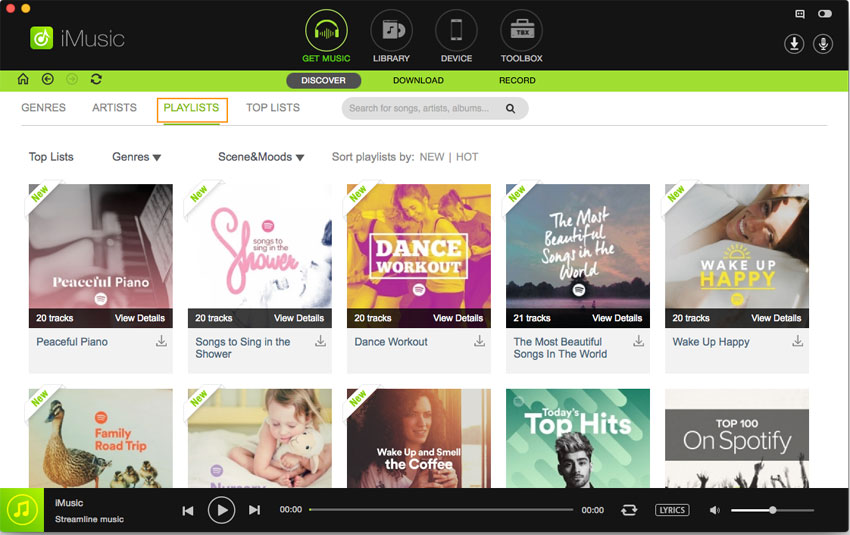
Step 1. Download and install iMusic on your computer. After then, launch it. Click the "GET MUSIC" menu on the top of the software, then click "DISCOVER". Learn More from Detailed Guide>>
03
Download Music from YouTube
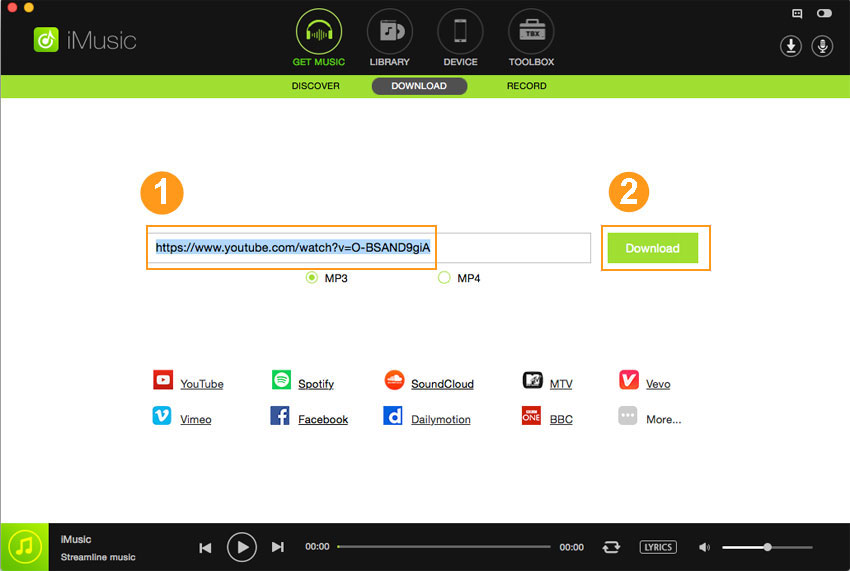
Step 1. Click “DOWNLOAD” in the “GET MUSIC” window. After then you can see a URL paste box as well as accesses to some sites.
Step 2. Open YouTube or any music streaming site, like Spotify. Copy the URL of the song on the site.
Step 3. Paste the URL of the song to the URL paste box in iMusic, check the needed music format and click “Download”. Learn More from Detailed Guide>>
04
Record Music from Music Sites/Radio Stations
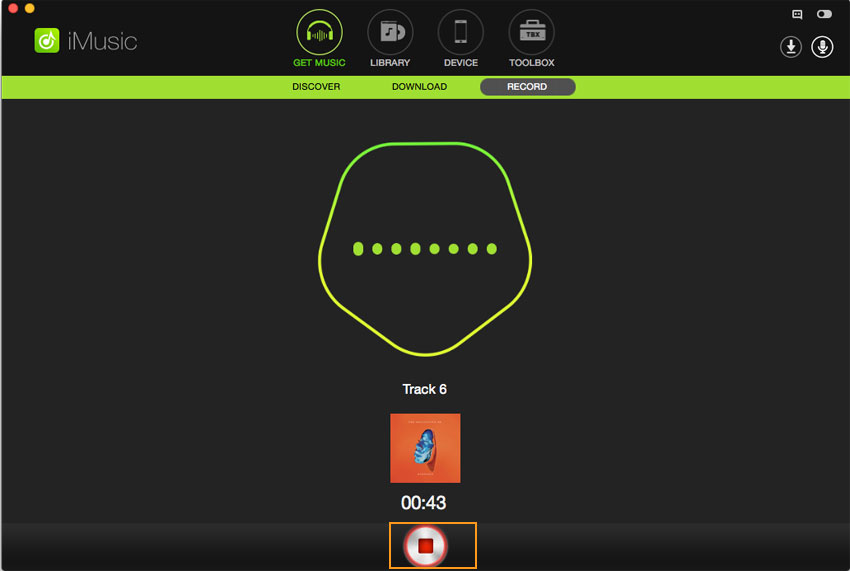
Step 1. Download and install iMusic on your computer. Launch it and click the "GET MUSIC" menu on the top of the software. Next, click the "RECORD" button.
Step 2. Click the "Record" button, preparing to record the song you’re going to play. Learn More from Detailed Guide>>